Documentation
This documentation is a work in progress. Check out videos on the ultraPacer YouTube Channel. Feature requests or issue/bug reports? Suggest, vote, and comment in the Feedback Hub.
Anything else? Contact me directly.
Embed ultraPacer Widgets on Your Website
You can embed ultraPacer course and plan data directly into your web pages using our widget system.
Available Widgets
Aid Station Splits Widget
Display aid station splits and pacing data from your ultraPacer course on any website.
Course Map and Elevation Widget (Beta)
Embed an interactive map and elevation profile showing your course route and key waypoints.
Getting Started
- Go to the Widgets page
- Select the course or plan you want to embed
- Choose the widget type (splits table, map, or elevation profile)
- Customize the widget settings:
- Display options (what data to show)
- Styling options (colors, size)
- Units (metric or imperial)
- Copy the generated embed code
- Paste the code into your website HTML
Widget Features
- Responsive design - Widgets automatically adapt to different screen sizes
- Real-time updates - If you update your course, the embedded widget reflects the changes
- Customizable appearance - Match your website’s look and feel
- No coding required - Simple copy and paste integration
Examples and Demo
Visit the Widgets page to see live examples of each widget type and try the customization options before embedding.
What's new?
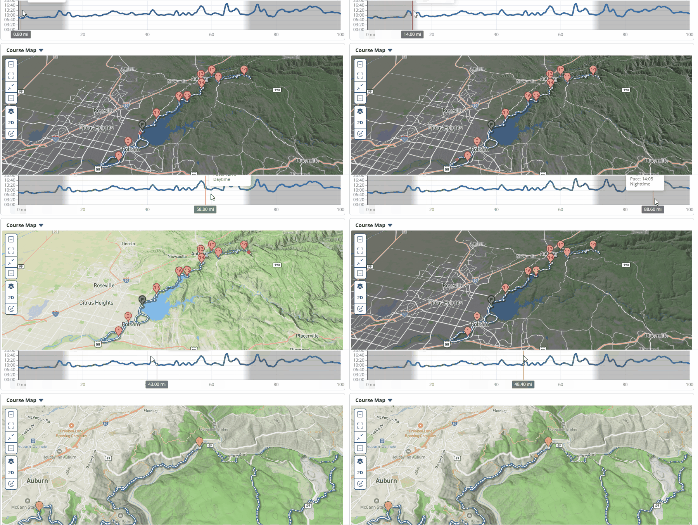
Dynamic sun shading!
The map now adjusts lighting based on the sun’s position throughout your run. Watch shadows shift and terrain illuminate realistically as the time of day changes, giving you a better sense of conditions on course. | Plus/pro feature